Give your crew the information they need to be in the right place at the right time.
Track3D Crew brings your Race Plan to iPhone and combines it with the course and live tracking, so crew can follow the race as it unfolds.
The Track3D Crew app answers the questions your crew asks all day.
What’s next?
When will they arrive?
How’s cutoff?
What to do when they get there?
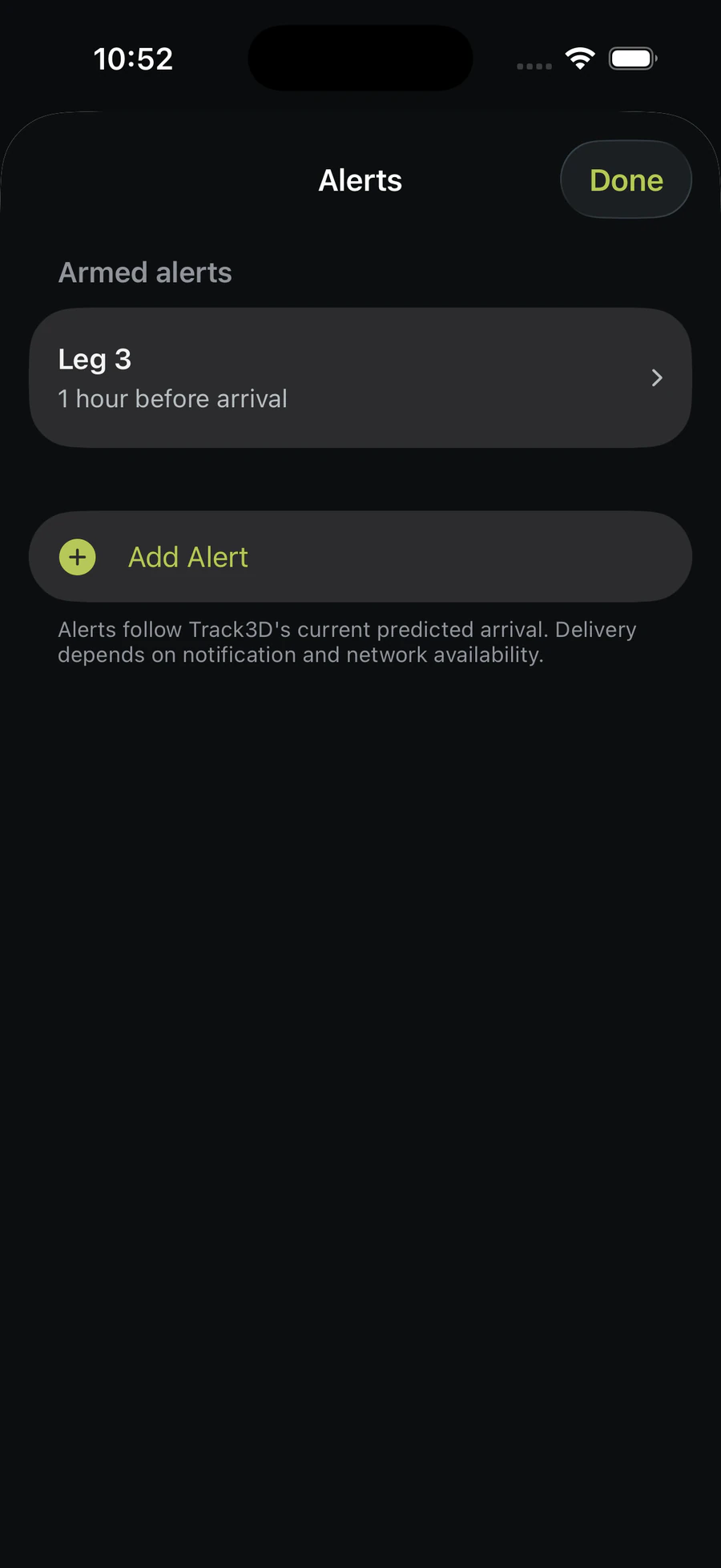
Can I get an alert when they’re a certain time away?
ADAPTIVE ETA
The ETA moves with the race.
A tracking location alone still leaves crew asking “When do we actually need to get ready?”
The crew follows how the race is actually unfolding rather than relying only on a time planned before the race.
1Race Plan sets the starting pointTrack3D begins with the pace and timing planned before race day.
2Live tracking shows how the race is unfoldingNew positions keep the runner’s course progress current.
3ETA moves with the runnerIf they speed up, slow down or take longer through a section, Track3D recalculates.
4Crew knows when to get readyThe next checkpoint ETA and Finish ETA reflect the race happening now.
Runner slows down → ETA moves.Runner speeds up → ETA moves.
COURSE CONTEXT
See the race
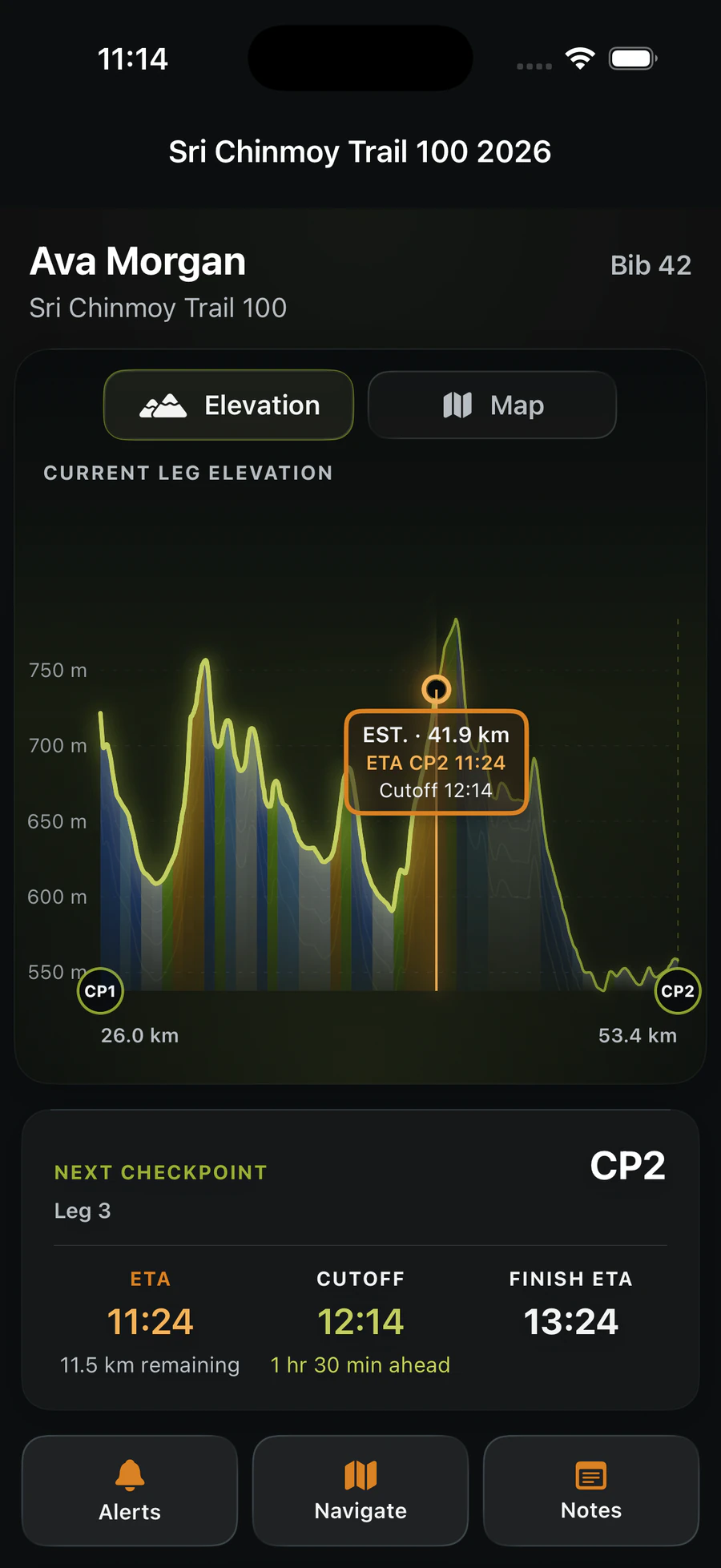
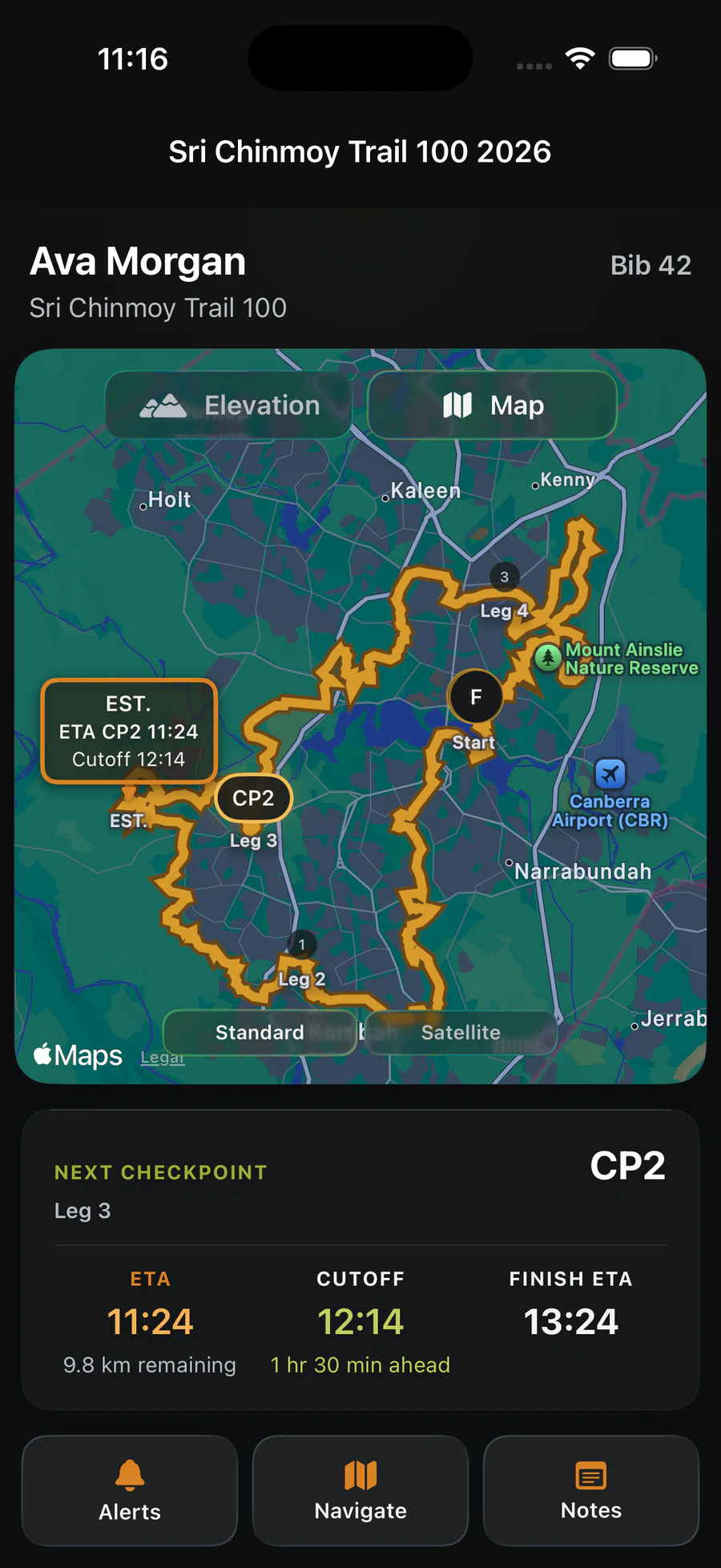
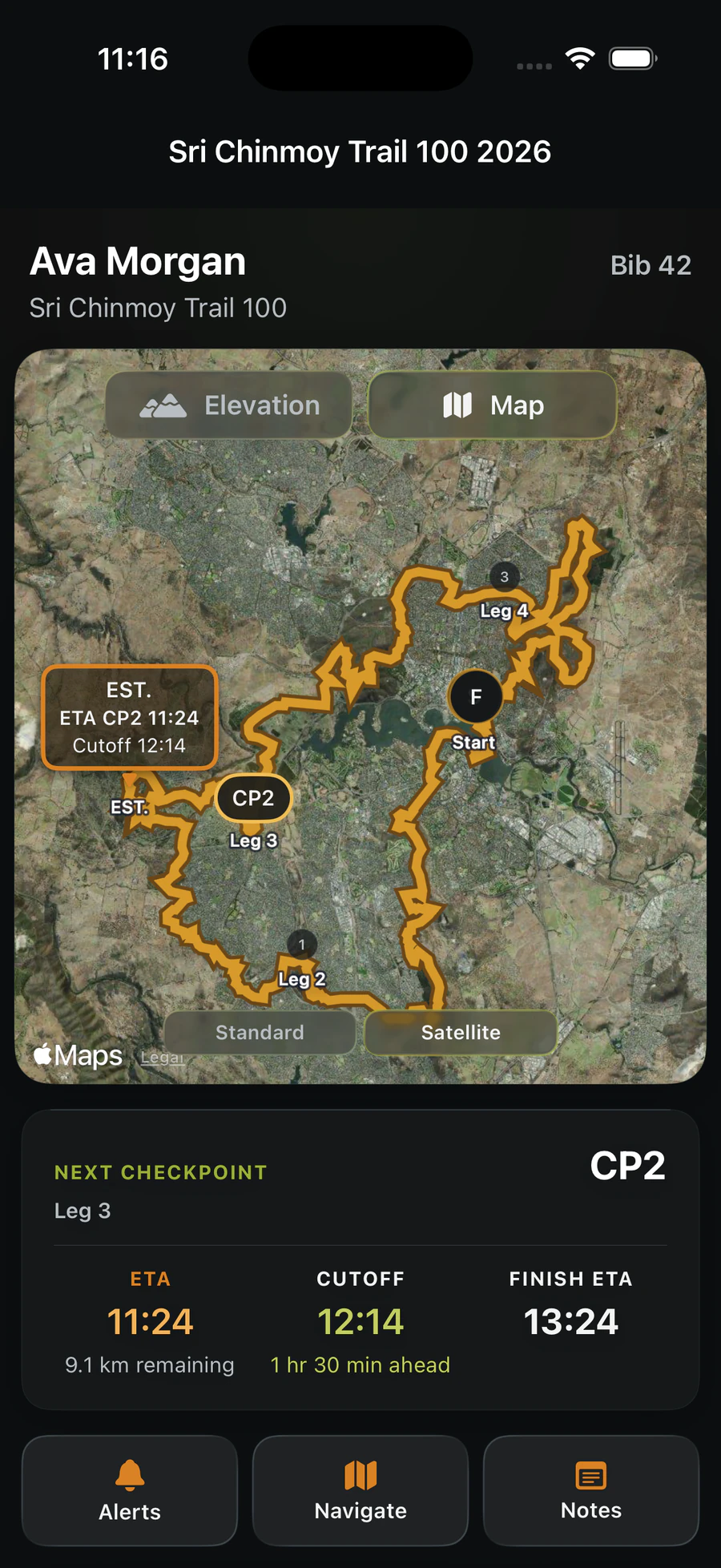
Elevation first. Map when you need it.
Understand the terrain ahead, see where your runner is on the course and add real-world context when it helps with checkpoint access and race-day logistics.
PRIMARY VIEWElevation
Understand the terrain ahead and how your runner is progressing through it.
ROUTE + CHECKPOINTSStandard map
See the route, checkpoints and where your runner is on the course.
TERRAIN + ACCESSSatellite map
Add real-world terrain and access context when it helps with race-day logistics.
ONE CONNECTED RACE DAY
Easy for your crew to find you
Your crew can open Track3D Crew on iPhone, search for you and start following your race. There is no special tracking link to keep forwarding, and one less thing for the runner to organise before the start.
1Build your Race PlanPlan checkpoints, cutoffs and crew notes.
2Add Track3D to your Garmin watchAdd the Track3D Data Field to your Run or Trail Run activity, then pair and test it in Race Planner. Installation alone is not enough.
3Start your raceLive updates keep progress and ETA moving with the race.
4Crew searches for youThey open Track3D Crew for iPhone and follow along.
5Track3D makes race day easierAdaptive ETA, Alerts, Live Activities and Notes help crew know what to do next.
LESS RACE-DAY FRICTION
Built for crew
Long race days are easier when crew can rest, prepare and move between checkpoints without constantly checking the phone or wondering what comes next.
ADAPTIVE ALERTS
Rest when you can. We'll tell you when it's time to get ready.
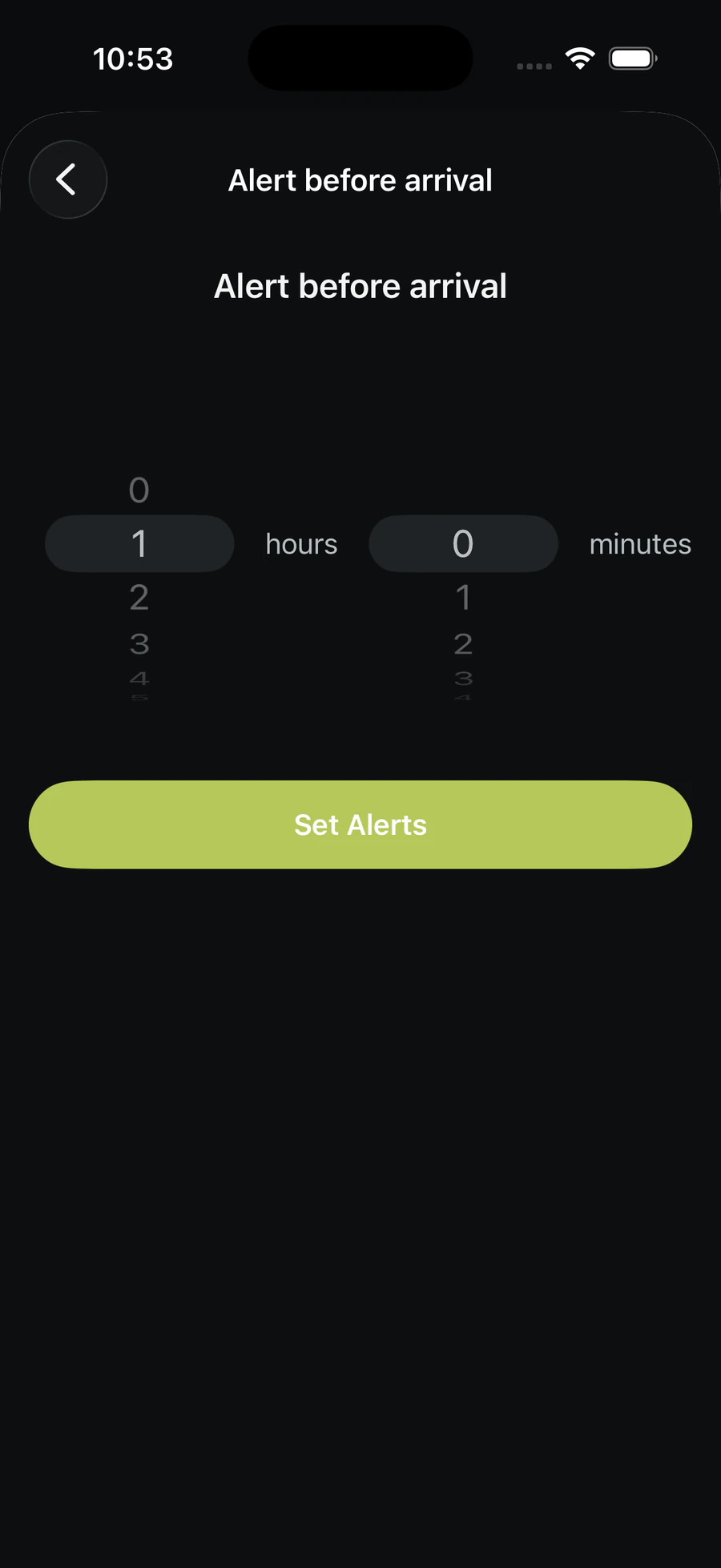
Choose the checkpoints that matter to you and how much warning you want before your runner arrives. Because the alert follows Track3D's adaptive ETA, it moves as their ETA changes.
Choose a one-hour warning and, if the runner's expected arrival shifts by 40 minutes, the alert shifts too. Crew can sleep, eat, organise gear, find parking or stop watching every runner come down the trail, knowing Track3D Crew will remind them when their runner is getting close.
CHECKPOINT NOTES
Bring your checkpoint notes with you.
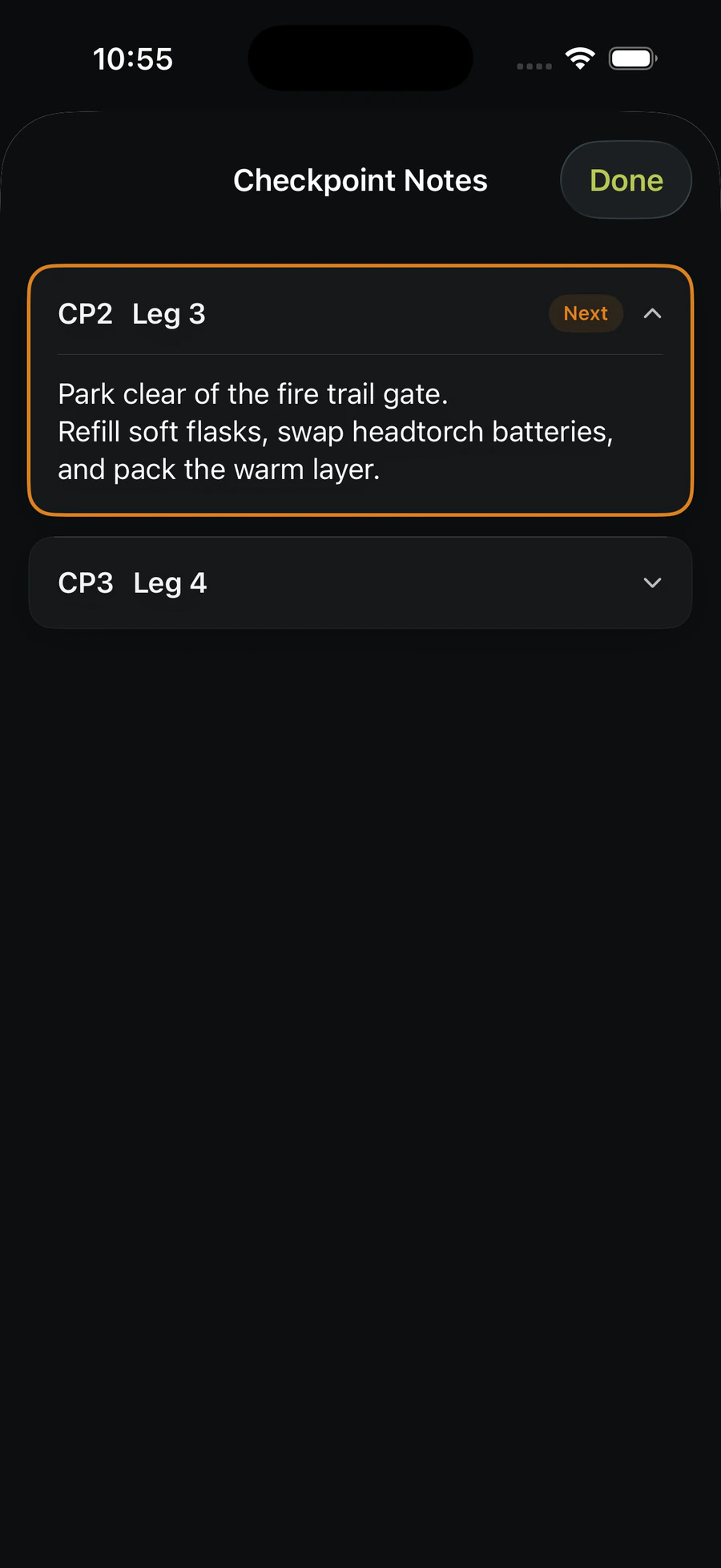
Create notes for your checkpoints while building your Race Plan, then give your crew easy access to them in Track3D Crew during the race. Add food requests, gear changes, parking instructions, meeting points, reminders or anything else crew needs to know.
Race PlannerPlan your checkpoint notes→Your Race PlanNotes stay with each checkpoint→Track3D CrewCrew can access them during the race
LIVE ACTIVITIES
Keep up with the race without living in the app.
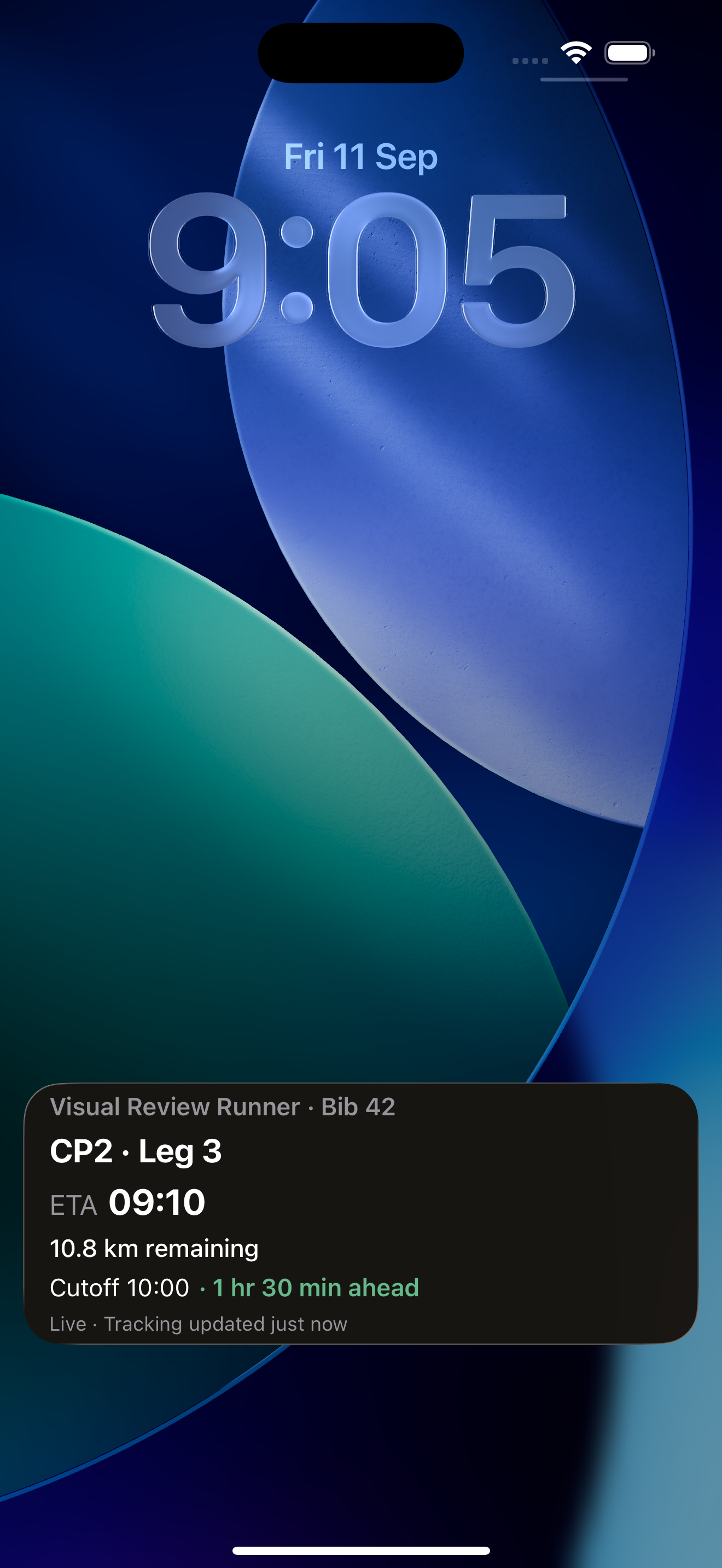
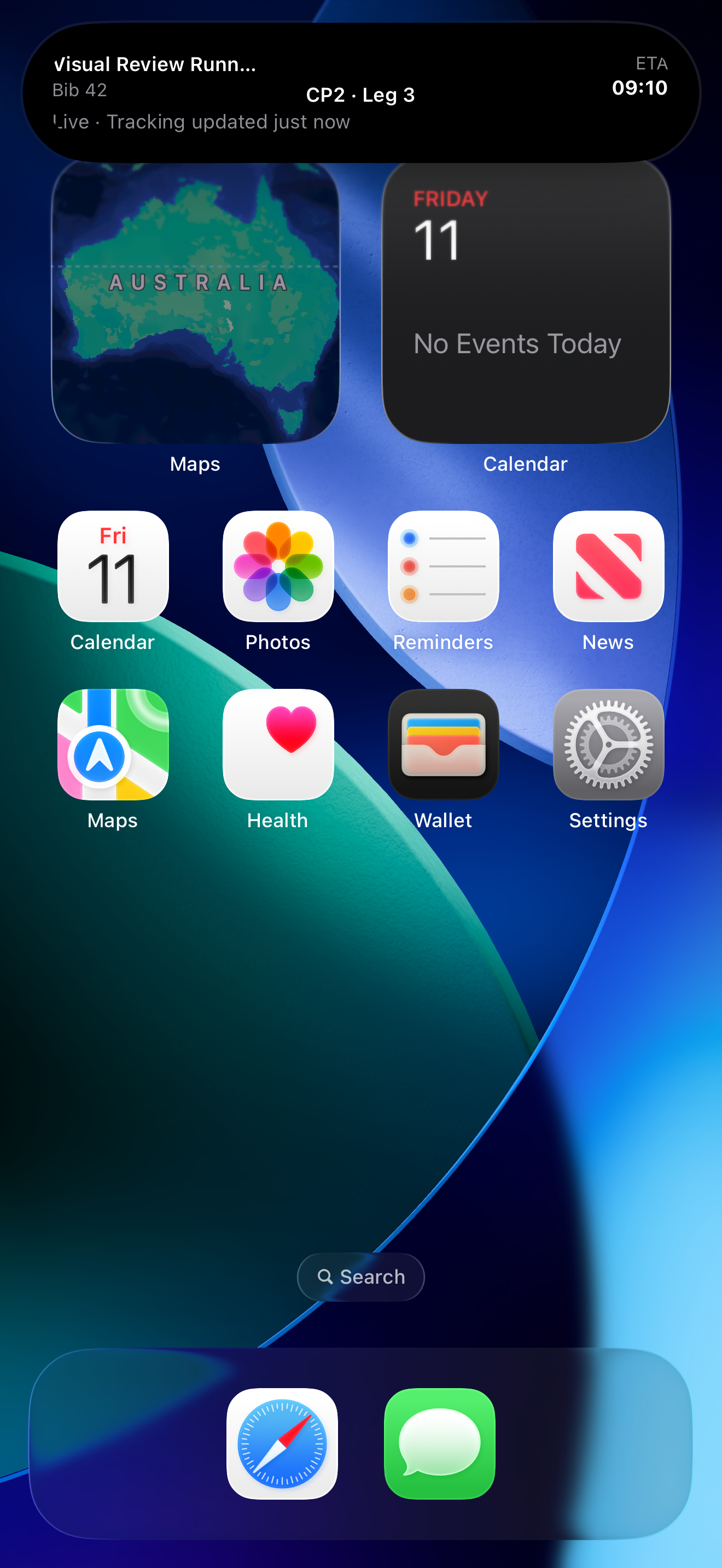
Track3D Crew keeps important race information visible on the iPhone Lock Screen and Dynamic Island while the race is active. Crew can glance at progress and arrival information while driving between checkpoints, preparing food, unpacking gear, finding parking or resting.
Fewer app opens
Less constant checking
More confidence that you still know what is happening
LOCK SCREENRace information at a glance.DYNAMIC ISLANDKeep the race visible while using your phone.
CARPLAY
Race-day information where your crew needs it.
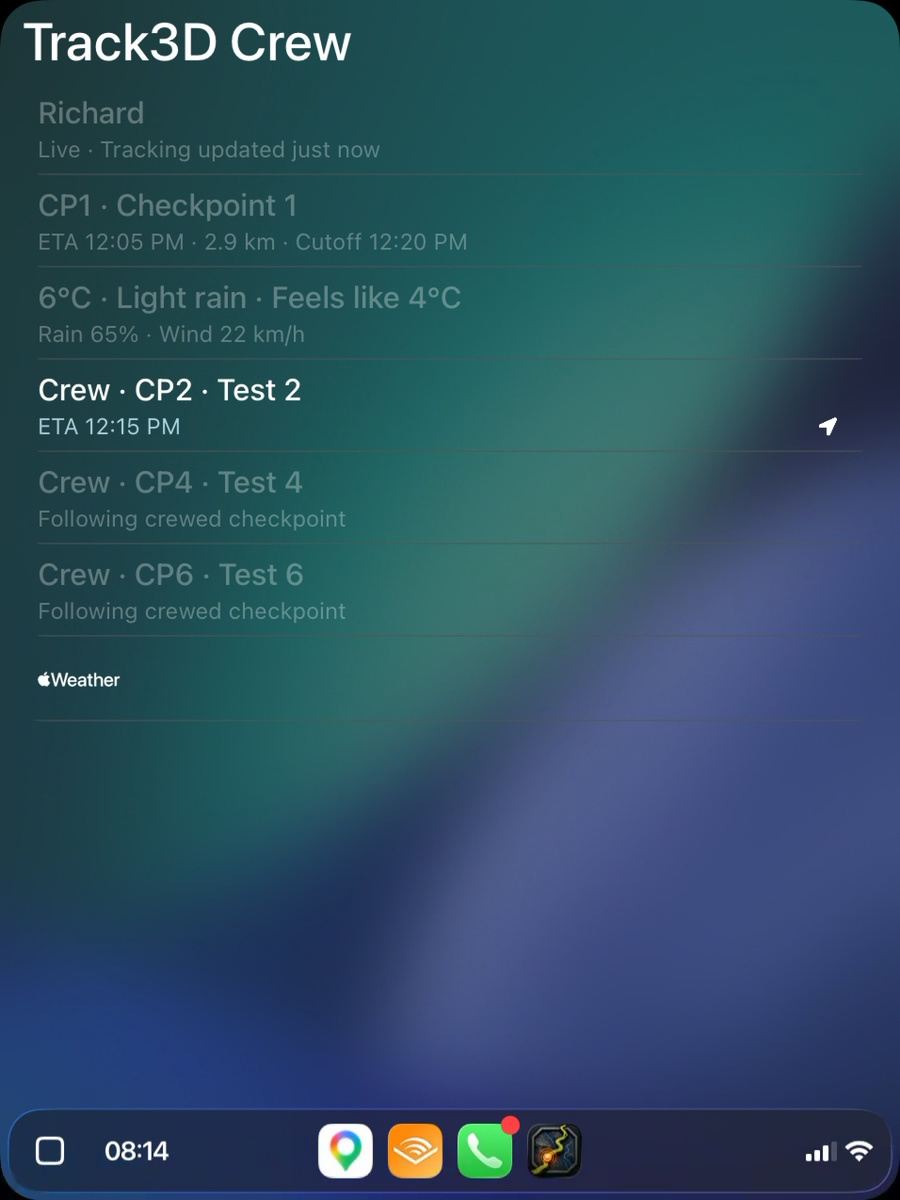
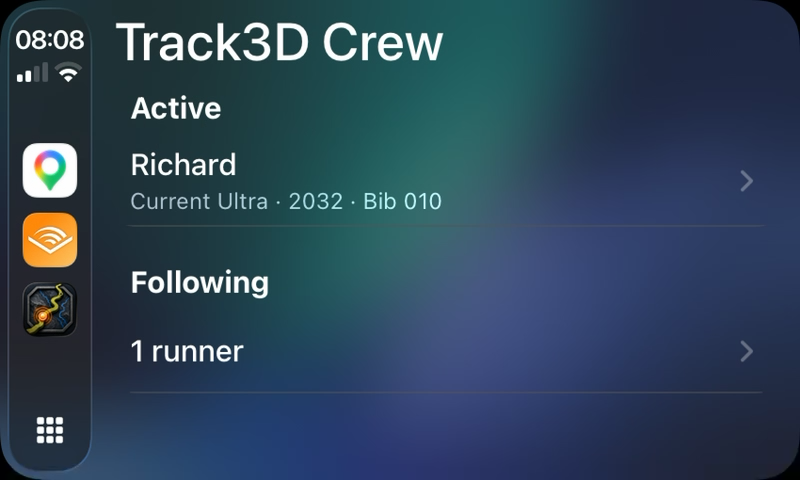
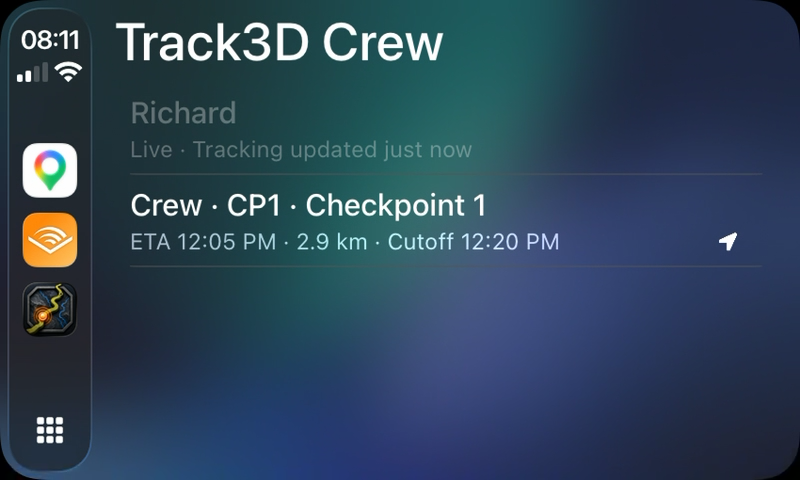
Track3D Crew brings the runner and the next part of the race onto CarPlay while your crew are travelling between checkpoints. See current runner status, the next checkpoint, ETA, remaining distance, cutoff context, weather at the next checkpoint and upcoming crew checkpoints.
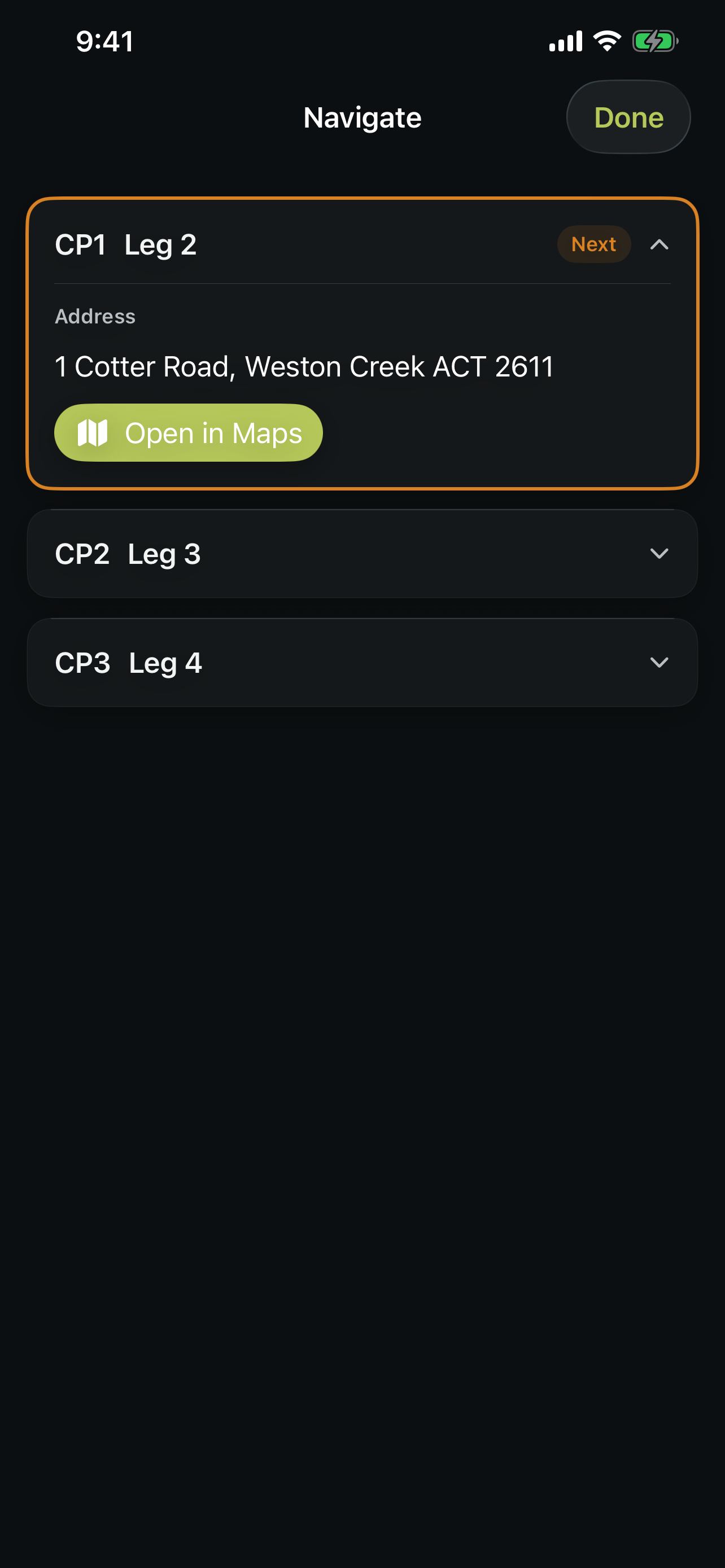
When a crew checkpoint has a saved navigation address, Track3D Crew can hand it to Apple Maps for directions. Apple Maps handles routing and navigation.
LIVE RACE VIEWNext checkpoint, ETA, weather and crew stops.ACTIVE + FOLLOWINGChoose the runner you need.CHECKPOINT ACCESSSend a crew checkpoint to Apple Maps.
TRACKING THROUGH THE RACE
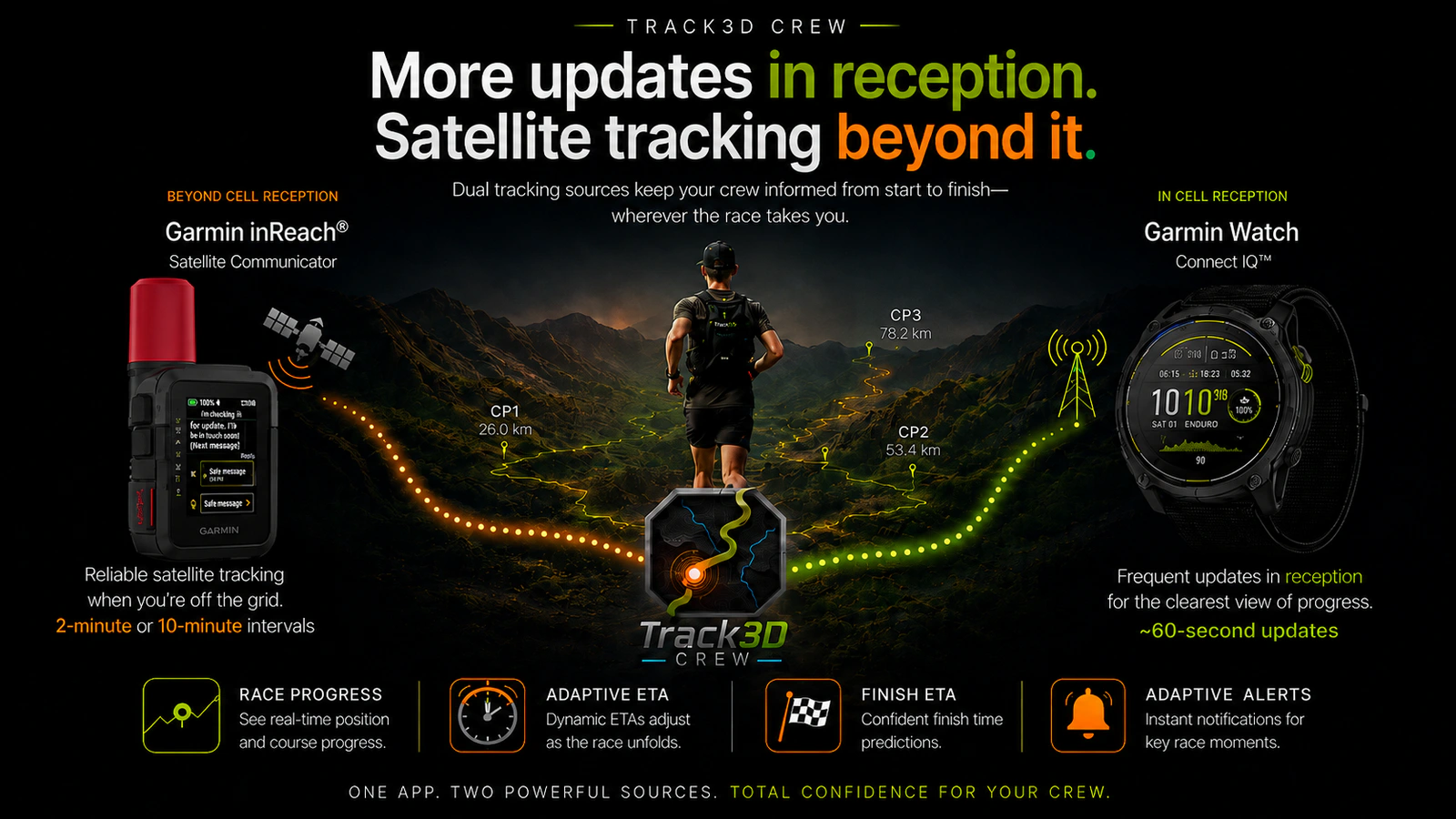
Two sources. One adaptive race picture.
Track3D combines Garmin Watch and Connect IQ updates approximately every 60 seconds of active activity time in suitable reception with Garmin inReach at the selected 2-minute or 10-minute tracking interval beyond it, subject to normal satellite operation.
Carry your paired phone with mobile Internet for Connect IQ delivery. V1 is tracking only and does not put your Race Plan or navigation onto the watch. Connect IQ is not satellite tracking; Garmin inReach can independently contribute satellite updates to the same race when configured.
Together they keep the same Track3D race picture current: race progress, Adaptive ETA, Finish ETA and Adaptive Alerts.
NAVIGATE
Get to the place the crew actually needs to be.
A runner’s checkpoint coordinate is not necessarily where crew can drive, park, gain access or meet the runner. While preparing the Race Plan, the runner can save the crew navigation address for the correct access location, parking or meeting point. On race day, Navigate can hand that exact saved checkpoint address to Apple Maps, which provides routing and directions.
Correct checkpoint access location
Parking
Meeting point
Access instructions
Checkpoint logistics
TRACK3D CREW FOR IPHONE
Available on the App Store.
Bring your Race Plan into race day with live runner updates, checkpoint information and crew alerts on iPhone.
TRACK3D CREW FOR IPHONE
Follow the build
Follow Track3D as the iPhone app continues to evolve through real race-day use.